Today's printing devices can join to other devices in more ways than just cables. One of the most important things about how printers work in homes, businesses, and other professional settings is that they can connect to other devices. As digital processes and workspaces change, how printers connect to computers, phones, and networks is a key factor in how quickly and easily they can be used. Knowing about the different ways to connect helps people pick devices that work with their daily tasks, the community of devices they use, and the way they work without making things too complicated.
1. Flexible Workspace Wireless Printing
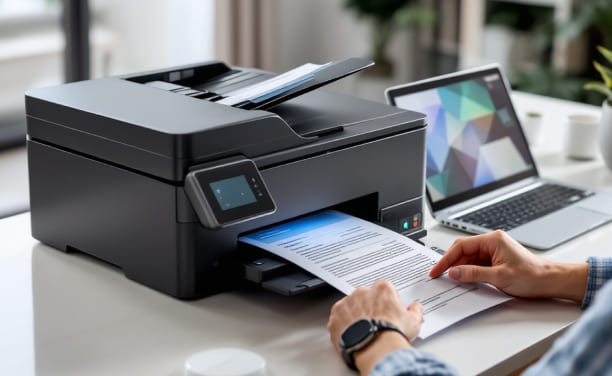
Printers can work even when they are not directly connected to a computer thanks to wireless connectivity. Multiple people on the same network can use Wi-Fi-enabled devices, which makes them perfect for homes, shared offices, and places where people work together. Because of this, there are fewer cables to deal with, and printers can be put where they are most useful instead of where a port is.
2. Mobile Device Support
Most printers on the market today are made to work well with smartphones and computers. Mobile connectivity features let people send photos, documents, and other things straight from their phones. This is especially helpful for professionals, students, and people who work from home and depend on their phones to get work done. It saves time and effort because you don't have to move the files to your desktop first.
3. Cloud-Based Printing Accessibility
A lot of new printers can connect to cloud printing services, which let users print files that are saved online. This kind of connection helps remote work by letting people print files from different places. It also makes it easier for teams to work together because shared files stored in the cloud can be viewed and printed whenever needed.
4. Network Integration for Office Efficiency
Most of the time, printers in businesses link to a local network instead of just one device. Connecting to a network lets multiple workers use the same printer, which makes sharing resources easier. It also makes features like print queuing and centralized control possible, which help keep things running smoothly and cut down on downtime.
5. USB and Wired Connections for Stability
Even though wireless features are popular, wired connections are still useful. It is possible to send data reliably and consistently over USB and Ethernet connections, which can be useful in places where wireless signals might not work well. These choices make sure that they work with a lot of different devices and are good alternatives.
6. The Security Aspects of Connected Printing
Security is more important as printers connect to more devices. A lot of modern devices have security tools that help keep data safe while it's being sent. Risks are lower in shared spaces where network settings are secure and access is controlled. This is especially true in offices where sensitive papers are often printed.
7. Printing Technology Ready for the Future
Connectivity is changing at the same rate as modern technology. Printers are getting better at supporting newer transmission standards, which means they will be useful for a long time. In today's workplaces, where flexibility and integration are very important, devices that can change to meet different connection needs work better.
Today, being able to connect to the internet is not an extra benefit; it's an important part of how printing devices work. These features help users print faster and more easily, from the ease of wireless printing to network interaction and mobile compatibility. By knowing how connectivity works, buyers can choose printers that work well with their devices, workflow, and surroundings, making them easy to use every day.

Copyright © 2026 Geek Sorted. All rights reserved.